

In October, we released 78 updates to our plugins, plus a brand-new plugin, Ads for AI. Toret Invoice got the most new features, adding support for EET 2.0 and Slovak e-invoices, but Toolkit, XML Feeds, Wholesale and others also received new functionality.
New minimum requirements: Check your PHP version before updating
Since 22 October, new versions of our plugins require PHP 8.2, WordPress 6.9 and WooCommerce 11.0. If your hosting runs an older version of PHP, the plugin will not load after the update and you will see a notice in the WordPress admin.
📌 We raised the minimum supported PHP version because of recently discovered critical vulnerabilities in PHP.
Toret Invoice: EET 2.0, e-invoices for Slovakia and credit notes for refunds
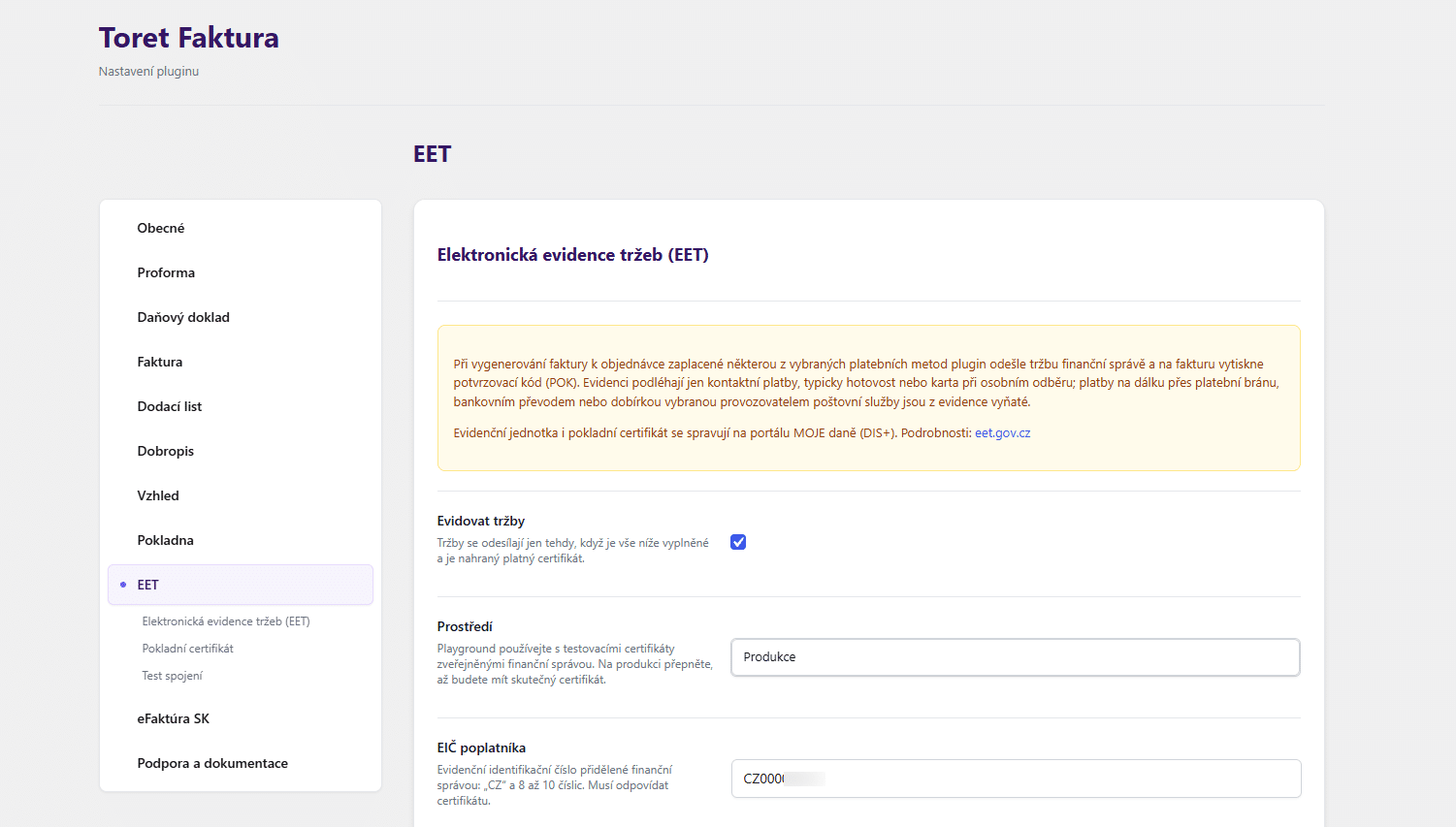
The Toret Invoice plugin now supports EET 2.0. For selected payment methods, it reports the sale when the document is issued and adds a verification code to the PDF. You can set up the certificate, EIČ, establishment and cash register on the new EET tab.
Slovak VAT payers can now issue electronic invoices (eFaktúra). After issuing them, the plugin automatically sends them via the ePošťák access point and tracks their delivery and reporting to the tax authority.
You can now also issue credit notes for partial refunds, both manually and automatically. Just like with full refunds, the credit note for a partial refund is automatically attached to the corresponding email.
Ads for AI: New plugin for advertising in ChatGPT
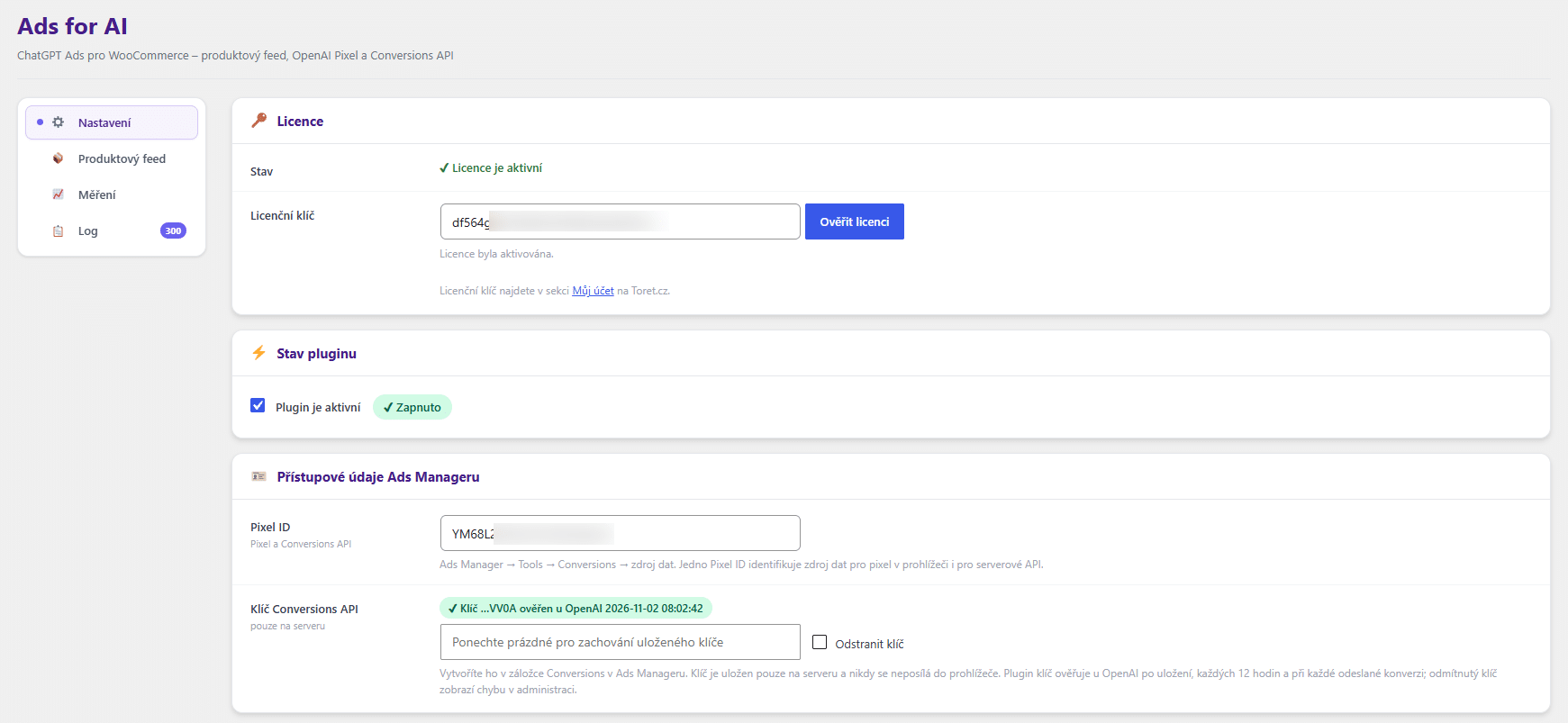
The Ads for AI plugin is our October newcomer for online stores that want to advertise in ChatGPT. In just a few clicks, you can add a tracking pixel to your store and connect it to the Conversion API, so you can measure your ad performance accurately.
The plugin also generates a product feed according to the OpenAI specification and updates it regularly. You can adjust the feed content globally or for individual products – for example, exclude categories from ads or set a custom price for ChatGPT Ads.
Toolkit: Withdrawal from the contract item by item
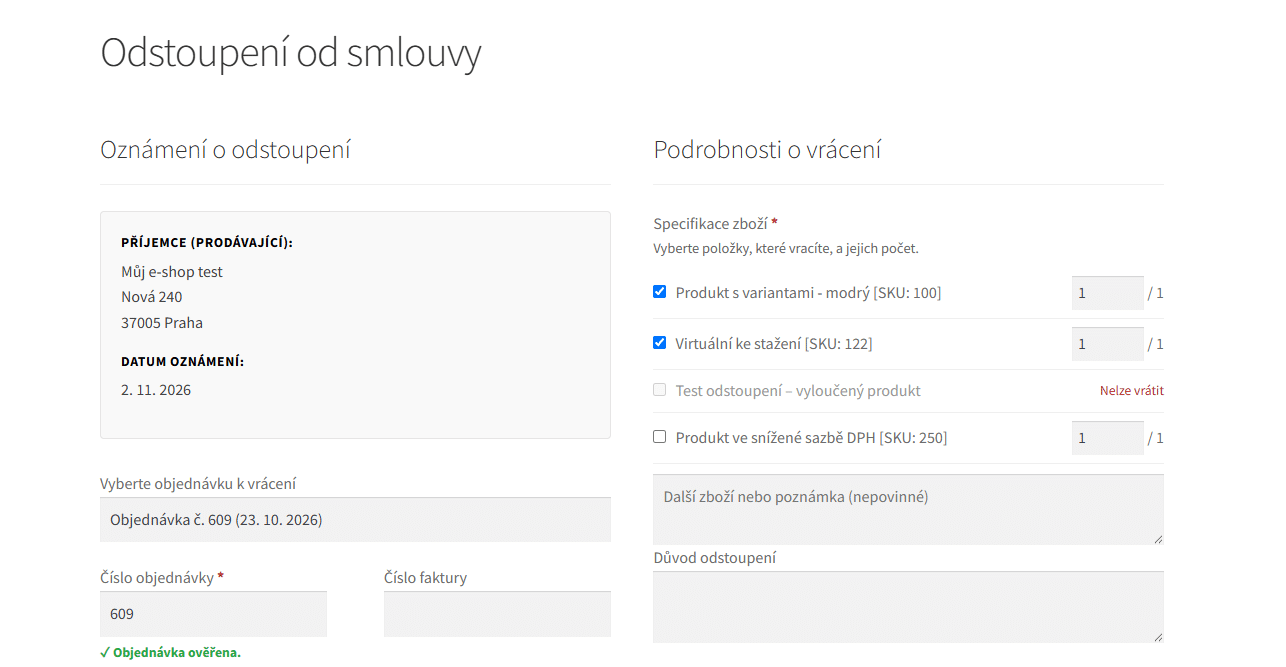
The Toolkit plugin now lists the order items and quantities in the withdrawal form. Customers can simply select the items for which they want to withdraw from the contract.
Another new feature is the Delivery time column, which you can display in the product list. It shows the delivery time set for your products at a glance, and you can change it via quick edit and bulk edit.
XML Feeds: New feed for Facebook and Alza Trade
The XML Feeds plugin now generates a feed for Facebook (Meta), including product videos. Required fields are marked in the settings, so you can see right away what needs to be filled in. There is also a new availability feed for Alza Trade.
QR payments: Update now for a security fix
Version 3.3.3 of the QR payments plugin fixes a critical vulnerability that allowed unauthorised users to act as another user of the website. If you use QR payments, we recommend updating as soon as possible to the latest version.
Wholesale: Registration protection and a better overview of wholesale customers
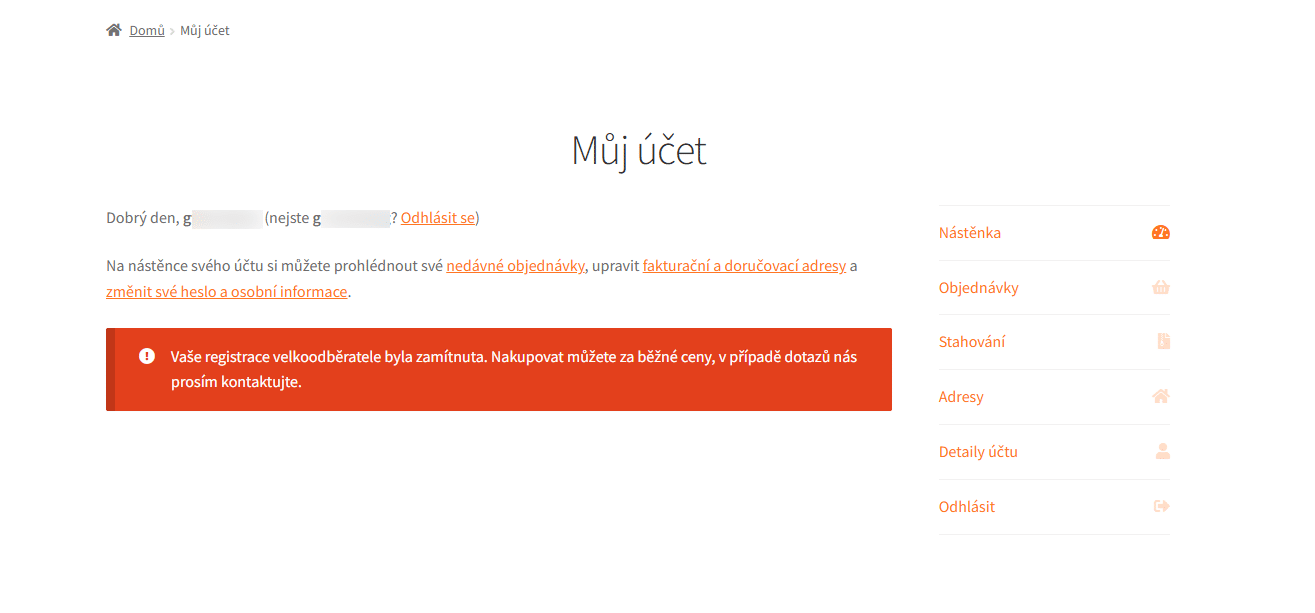
The Wholesale plugin has also gained a number of new features. The registration form is now protected by Cloudflare Turnstile. In the order list, you can enable the new Wholesale column, which shows whether the customer was an approved wholesale customer at the time of purchase. Customers can now also see their registration status in their customer account.
Cron via REST API: Check your hosting settings
We are gradually moving our plugins’ scheduled tasks (cron) from standalone PHP files to REST endpoints. If the cron job on your hosting points to the old address, we recommend replacing it with the new one. You will always find the cron address in the plugin’s settings.
This currently applies to the following plugins:
Other new features
Comgate: Choose the payment method directly on the gateway
The Comgate plugin has a new Hide sub-methods option. The checkout then does not show the list of methods, and customers choose how to pay on the Comgate gateway.
New shipping options in the TOPTRANS plugin
The TOPTRANS plugin lets you set a loading address for calculating the shipping price and submitting the shipment. You can now also send a separate parcel for each order item.
Batch labels in one click in PPL
We have brought back the familiar Batch labels button to the PPL plugin. For orders shipped in bulk, it downloads the labels for all shipments in the batch with a single click.
AI Markdown: Custom post types in the Markdown sitemap
The AI Markdown plugin now includes custom post types in the Markdown sitemap and the llms-full.txt file, such as services, portfolio or FAQ. The new Maximum cache age setting makes sure older pages are regenerated automatically in the background.
Mobile app key protection in Packeta and DPD
The Packeta and DPD plugins now have a new optional mobile app key in their connection settings. It protects the addresses used for shipping, bulk shipping and printing from the Toret WooCommerce Manager mobile app.