
ThePay payment gateway for WooCommerce
The ThePay for WooCommerce is a WordPress plugin that integrates the ThePay payment gateway into your e-shop checkout. Offer customers convenient and secure payment with a rich selection of methods. The ThePay payment gateway allows card payments, supports electronic wallets Google Pay and Apple Pay, popular bank buttons, and a range of other methods, so every customer and e-shop can choose.

- Simple and fast setup.
- Wide range of payment methods – card payments, bank buttons, and many others.
- Support for payments via Google Pay and Apple Pay.
- Enables recurring and deferred payments.
- Support for CZK, EUR, USD, and other popular currencies.
- Support for CZ, SK, EN, DE, PL, and other languages.
Wide range of payment methods
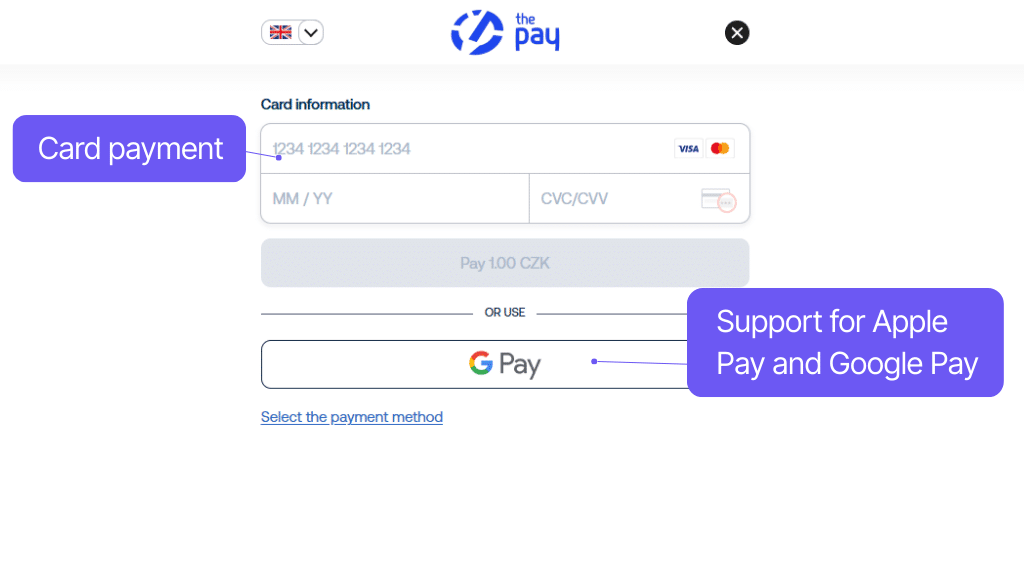
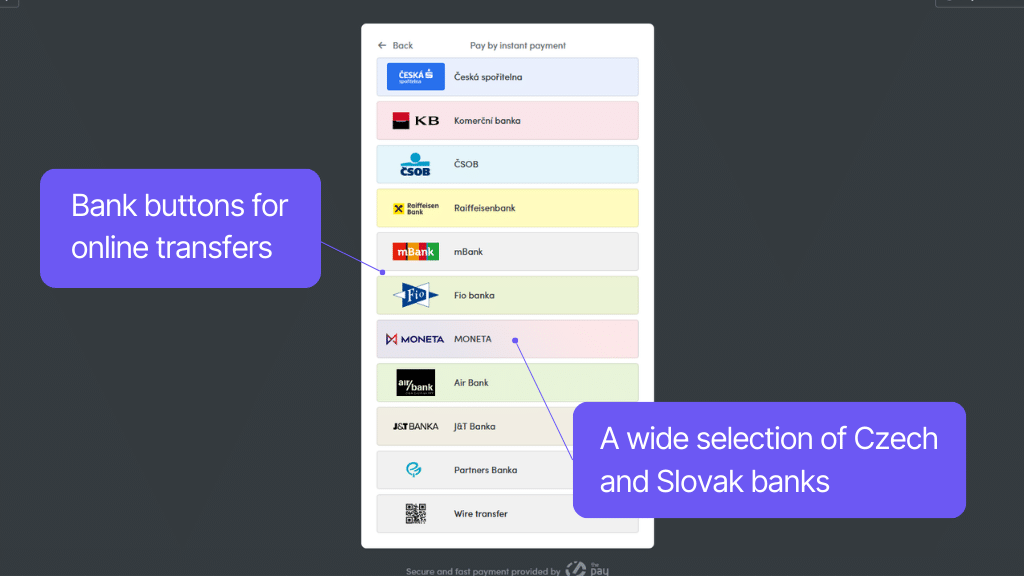
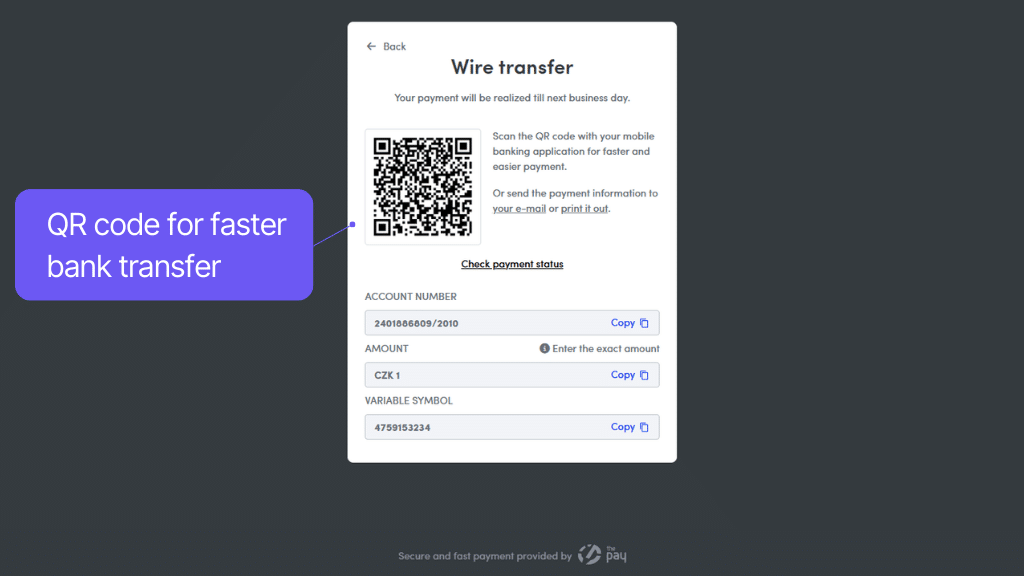
Offer new payment options in your e-shop so that every customer can choose. Convenient and safe payment is key to successfully completing an order.
Through the ThePay payment gateway, customers can safely pay by card (VISA, VISA Electron, MasterCard, Maestro, Diners Club) and electronic wallets Google Pay and Apple Pay.
The payment gateway also includes bank buttons for online bank transfer. With them, the customer will be redirected to the bank’s interface, where they simply confirm the pre-filled payment order. For customers who do not find their bank’s button, ThePay offers QR bank transfers with quick confirmation of payment execution.
Recurring payments and other specialties
The plugin for the ThePay payment gateway supports recurring payments, thanks to compatibility with WooCommerce Subscriptions. You can use this payment gateway when selling subscriptions. For the most demanding, the plugin offers other special payment options such as PlatímPak deferred payment or Bitcoin payments.
The ThePay plugin supports all available payment methods. Specifically, these are payment cards, online bank buttons, bank transfers, electronic wallets, deferred and recurring payments, and payments in bitcoins.
You can restrict available payment methods by customer country.
The plugin adds a new payment method to WooCommerce where the customer is redirected to the ThePay payment gateway and can pay the order online by card.
ThePay supports MasterCard, Visa, Visa Electron, Maestro, and Diners Club.
Using the plugin, you can use very popular e-wallets on your e-shop. The offer to pay via Apple Pay and Google Pay will be offered already when going through the checkout.
You can also give the customer a choice of online payment buttons using the plugin. If the customer selects them, they will be redirected to the bank interface with a pre-filled payment order.
Available bank buttons for Czech banks:
Česká spořitelna, ČSOB, Poštovní spořitelna, Fio banka, Komerční banka, Moneta, mBank, Raiffeisenbank, ePlatby, J&T Banka,
Available bank buttons for Slovak banks:
VÚB banka, Slovenská spořitelna, Tatra banka
The ThePay plugin also supports QR bank transfers with quick confirmation of payment execution.
Available bank transfers are:
AirBank, Creditas, ČSOB, MaxBanka, Fio banka, Moneta, ING Bank, Oberbank, Trinity Bank, UniCredit Bank, Poštovní spořitelna, Express transfers, Slovenská spořitelna, VÚB banka and Payment from another bank.
The plugin is compatible with WooCommerce Subscriptions and it is possible to use recurring payments with it.
The plugin also supports special payment methods such as PlatímPak Deferred Payment and Bitcoin payment as a payment gateway.
Support for a range of currencies and languages
The plugin, like the payment gateway, supports 8 currencies and more than 25 languages. With so many options, no customer will interrupt an order due to unsuitable payment methods.
The plugin, like the ThePay payment gateway, supports currencies CZK, EUR, USD, GBP, HUF, PLN, and RON.
The plugin supports over 25 world languages:
Czech, Slovak, English, Spanish, Italian, Polish, French, Romanian, German, Slovenian, Croatian, Norwegian, Swedish, Bulgarian, Japanese, Danish, Greek, Latvian, Hungarian, Dutch, Portuguese, Russian, Finnish, Vietnamese, Ukrainian
Settings according to e-shop needs
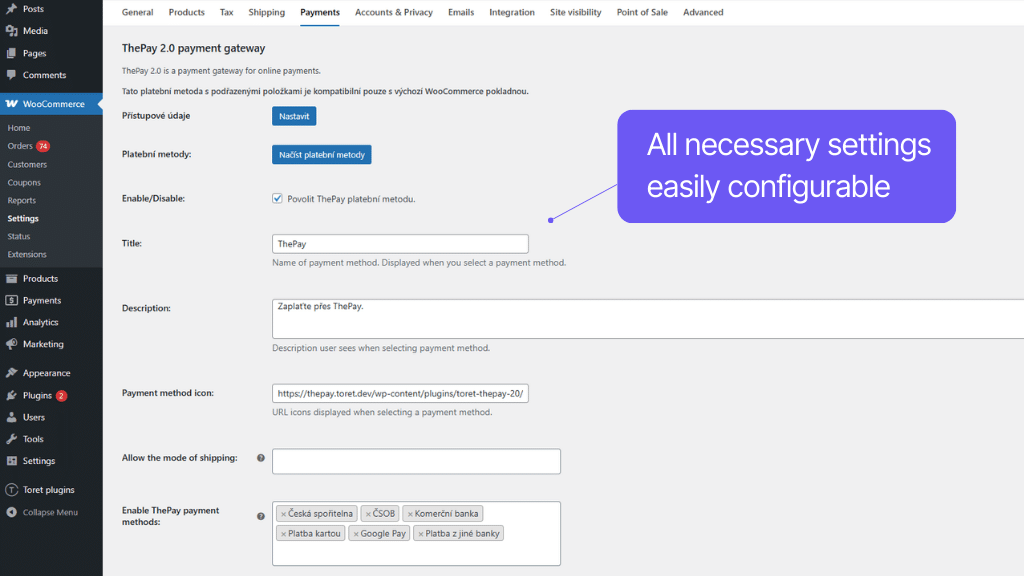
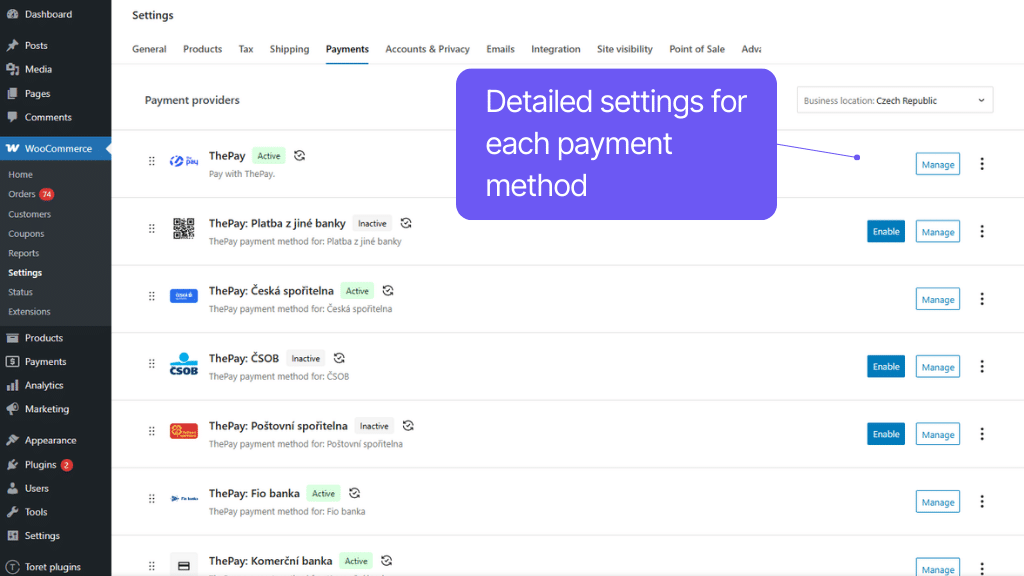
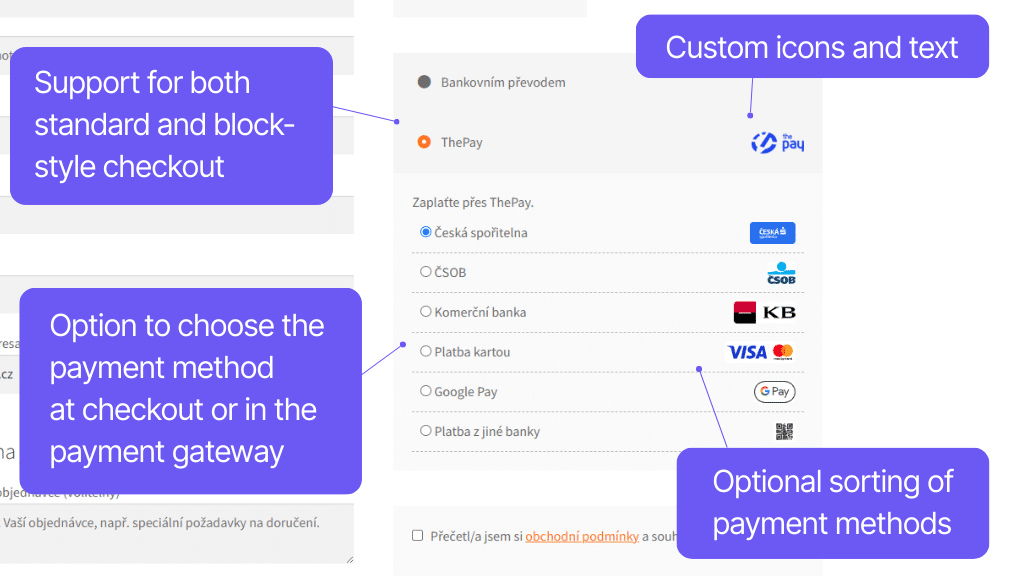
ThePay plugin settings are done in the WooCommerce administration, where you can simply click everything in the payment methods settings. For individual payment methods, you can set custom icons and wording that will appear in the checkout. You can also restrict payment methods based on the customer’s country or selected shipping method.
The ThePay plugin includes its own WooCommerce payment methods.
Plugin settings are directly in the payment methods. You can, for example, enable specific payment methods, or select countries and shipping methods for which the payment gateway will be active.
For each payment method, you can upload a custom icon that will be displayed in the checkout or use the default plugin icons.
You can easily change the accompanying texts for payment methods displayed in the checkout according to your needs.
Carefree management and regular maintenance
The Toret ThePay plugin for WordPress and WooCommerce is fully compatible with other Toret plugins and block website builders, such as Elementor, Divi, and Gutenberg. You do not have to worry that the plugin implementation would negatively affect the appearance or functionality of the website.
The subscription includes access to updates, which ensure compatibility and add new features, and to customer support for potential issues.
All our plugins are mutually compatible and can be used on a single WooCommerce e-shop.
Usage example:
In the checkout, the customer can select delivery to an address or pick-up point via the shipping plugin, pay using a payment gateway, and finally, an invoice is automatically generated and sent in the order confirmation email.
The plugin fully supports WordPress Multisite, where a single license is sufficient for all managed sites. Each Multisite web can have its own plugin settings.
The plugin supports use alongside popular block page builders Elementor and Divi.
High-Performance Order Storage (HPOS), formerly known as Custom Order Tables, is a solution that provides an easy-to-understand and solid database structure – designed specifically for e-commerce needs. It uses the WooCommerce CRUD design to store order data in custom tables – optimized for WooCommerce queries with minimal impact on store performance.
We are constantly improving the plugin and updating compatibility with WooCommerce. We guarantee compatibility with WooCommerce 6.7 and higher.
Extensive documentation is prepared for the plugin. It helps you easily configure the plugin and quickly get oriented with its features.
€69,00 / year
+FREE: 3-month subscription to Toret WooCommerce Manager
Need help?
[email protected]Do you need advice on choosing a product or have a question about a feature?
What’s included?
- 1 year of updates
- 1 year support (beware of resellers)
- 14-day money-back guarantee
14-day money-back guarantee
We want to ensure that you are 100% satisfied with your purchase. That’s why we offer a 14-day money-back guarantee.